hl-cli
Stop clicking. Start executing.
What it is
A command-line trading interface for Hyperliquid. Perps, HIP-3 equities, commodities, FX — all from your terminal. Built for traders who want speed, precision, and advanced order types.
Why hl-cli
Speed — single commands instead of clicking through menus.
Order types the UI doesn't support — trailing limits, chained stop+TP sequences, iceberg orders, ladders.
Basket mode — group instruments into baskets, fan-out commands across all of them.
HIP-3 markets — trade equities, commodities, and FX perpetuals with the same commands.
Shortcuts — save setups, execute with one keystroke.
Features
Command Chaining
Chain entry + wait + stop + TP into a single line. Comma for serial, semicolon for parallel.
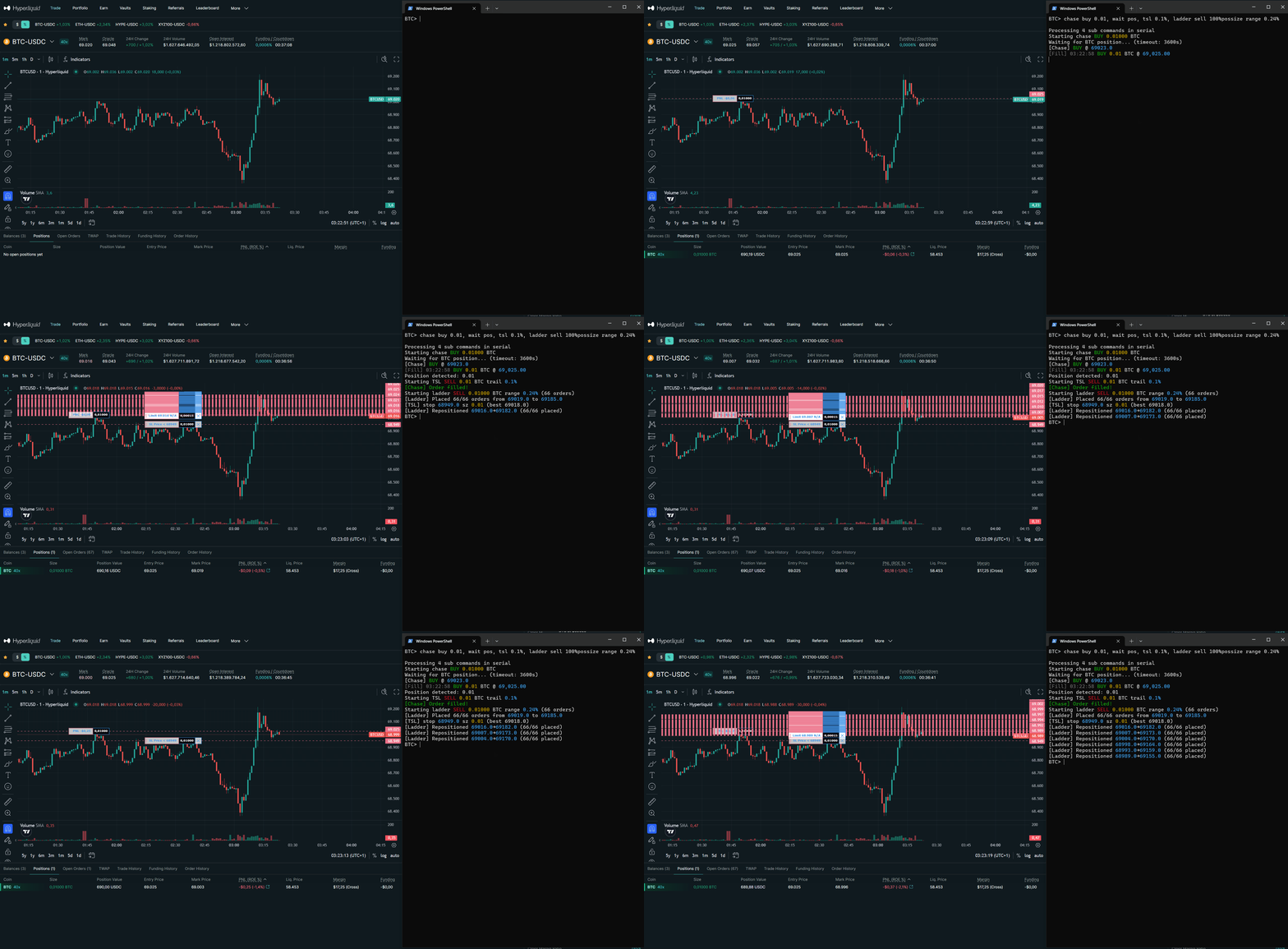
# Chase entry → auto stop/TP at % from fill
BTC> chase buy 0.1, wait pos, stop entry-2%; tp entry+4%
# Iceberg entry → trailing stop on fill
BTC> iceberg buy 0.5 show 0.05, wait pos, tsl 1%
# Wait for spread → chase → trail
BTC> wait spread > 2.0, chase buy $200, wait pos, tsl 0.5%
# Ladder in → wait 80% filled → market exit
BTC> ladder buy $10000 range 1%, wait 80%fill, sell 100%possize
# Take profit → wait → tighten trail
BTC> wait pnlpct > 1, reduce 50%, wait 2, tsl 0.3%
Shortcuts
Bind complex strategies to single keys. Supports {1}, {2} parameters. Saved across sessions.
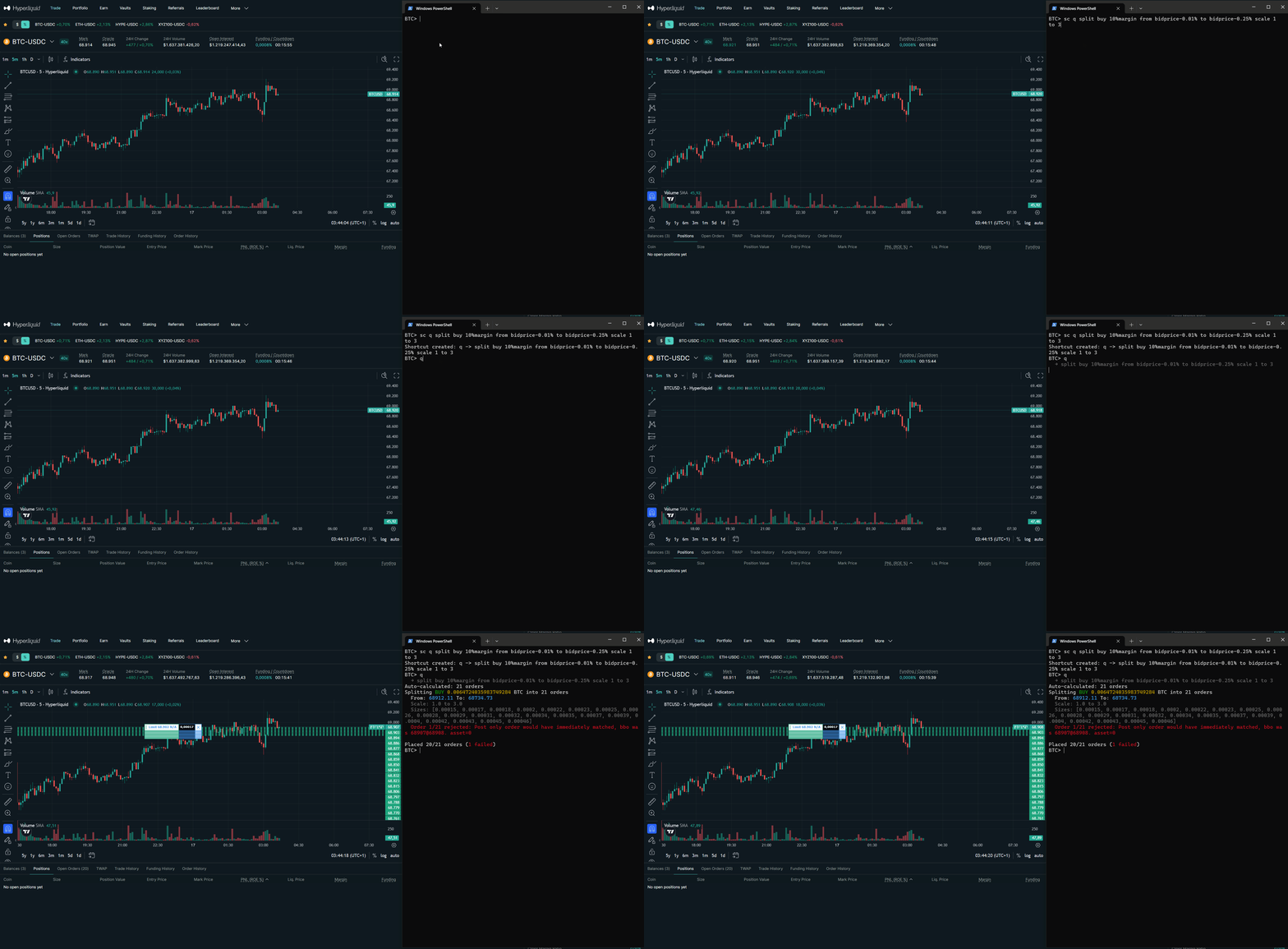
# Bind strategies to single keys
BTC> sc q split buy 10%margin from bidprice-0.01% to bidprice-0.25% scale 1 to 3
BTC> sc tpb split sell 80%possize from askprice+0.04% to askprice+0.16% ro
# Parameterized: full trade macro with stop/TP %
BTC> sc go chase buy {1}, wait pos, stop entry-{2}; tp entry+{3}
BTC> go 0.1 2% 4% # buy 0.1, stop -2%, TP +4%
# Then just:
BTC> q # scale-in at bid
BTC> tpb # TP ladder for longs
Basket Mode
Group instruments into named baskets. Commands fan out across all instruments automatically.
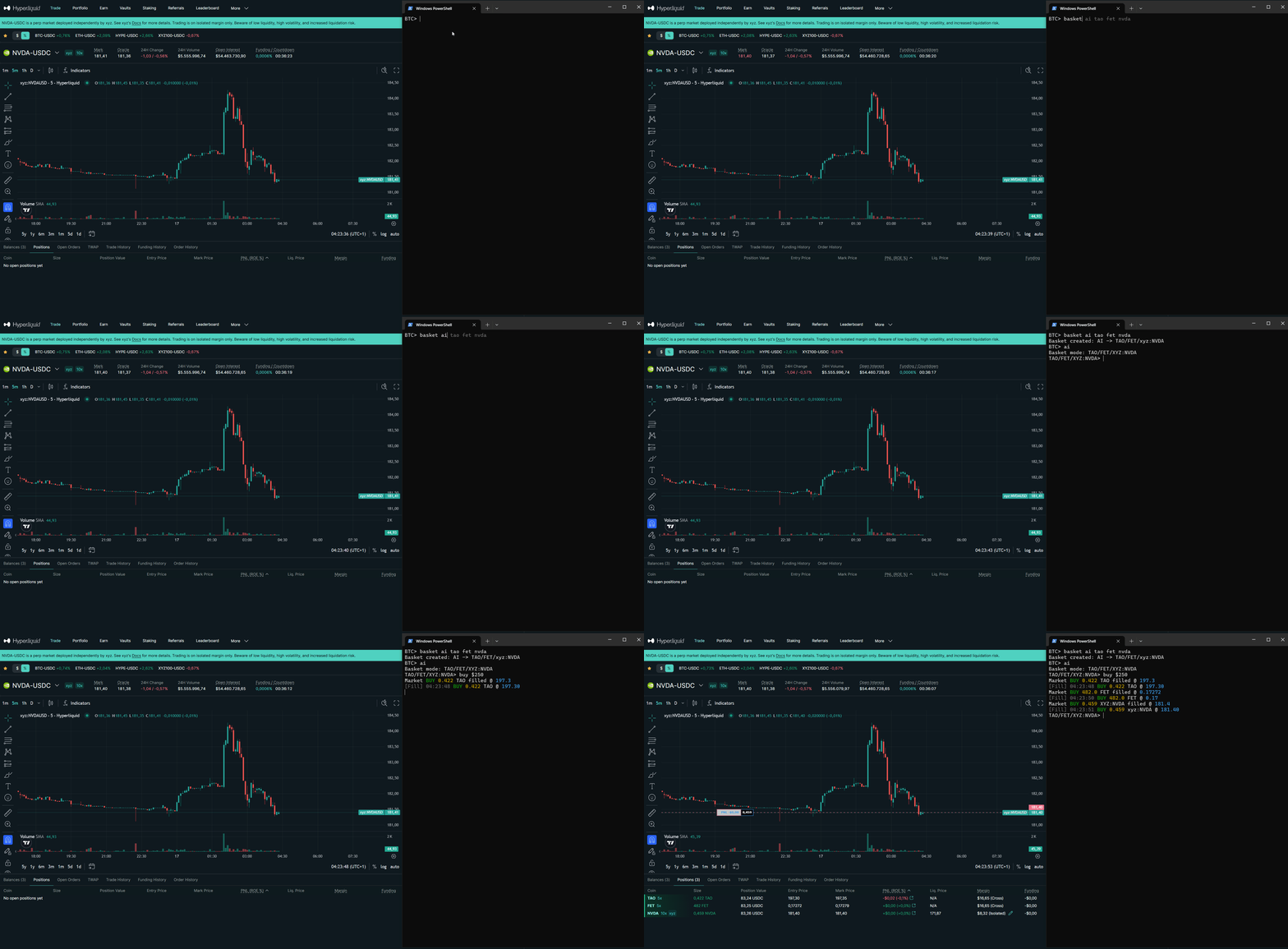
# Create a basket and enter basket mode
BTC> basket ai TAO FET NVDA
BTC> ai # enter basket mode
# Commands execute across all instruments
TAO/FET/xyz:NVDA> buy $250 # ~$83 per instrument
TAO/FET/xyz:NVDA> sell 50%possize # 50% of each position
TAO/FET/xyz:NVDA> chase buy $600 # 3 chase threads, $200 each
TAO/FET/xyz:NVDA> position # per-instrument + total PnL
TAO/FET/xyz:NVDA> TAO # exit to single instrument
Chase Orders
Trailing limit that follows BBO — get filled at maker fees instead of market.
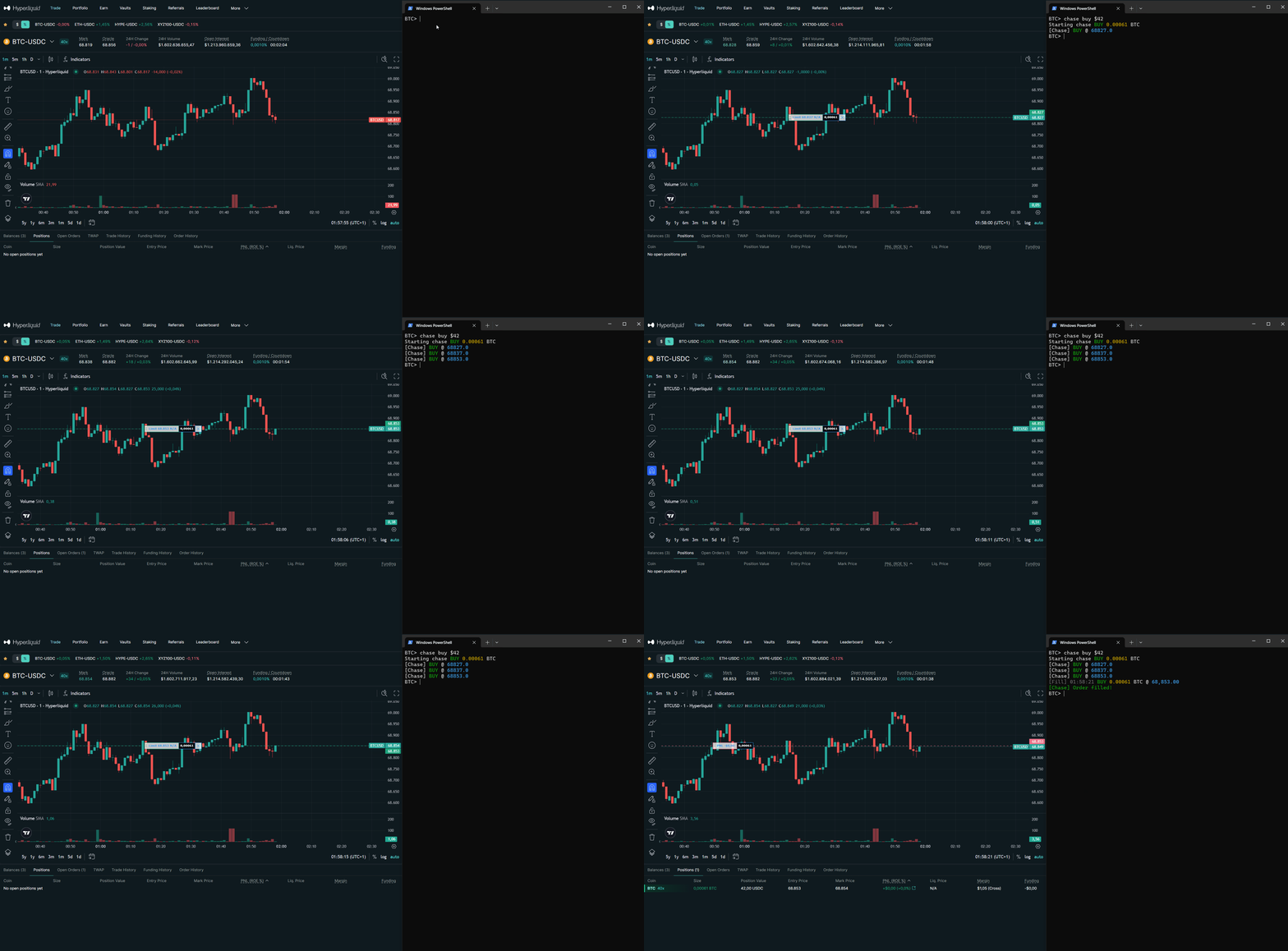
BTC> chase buy 0.1 # chase at best bid (maker fees)
BTC> chase sell $500 # chase $500 worth at best ask
BTC> chase buy $200 dist 0.5% # stay 0.5% behind BBO
Split Orders
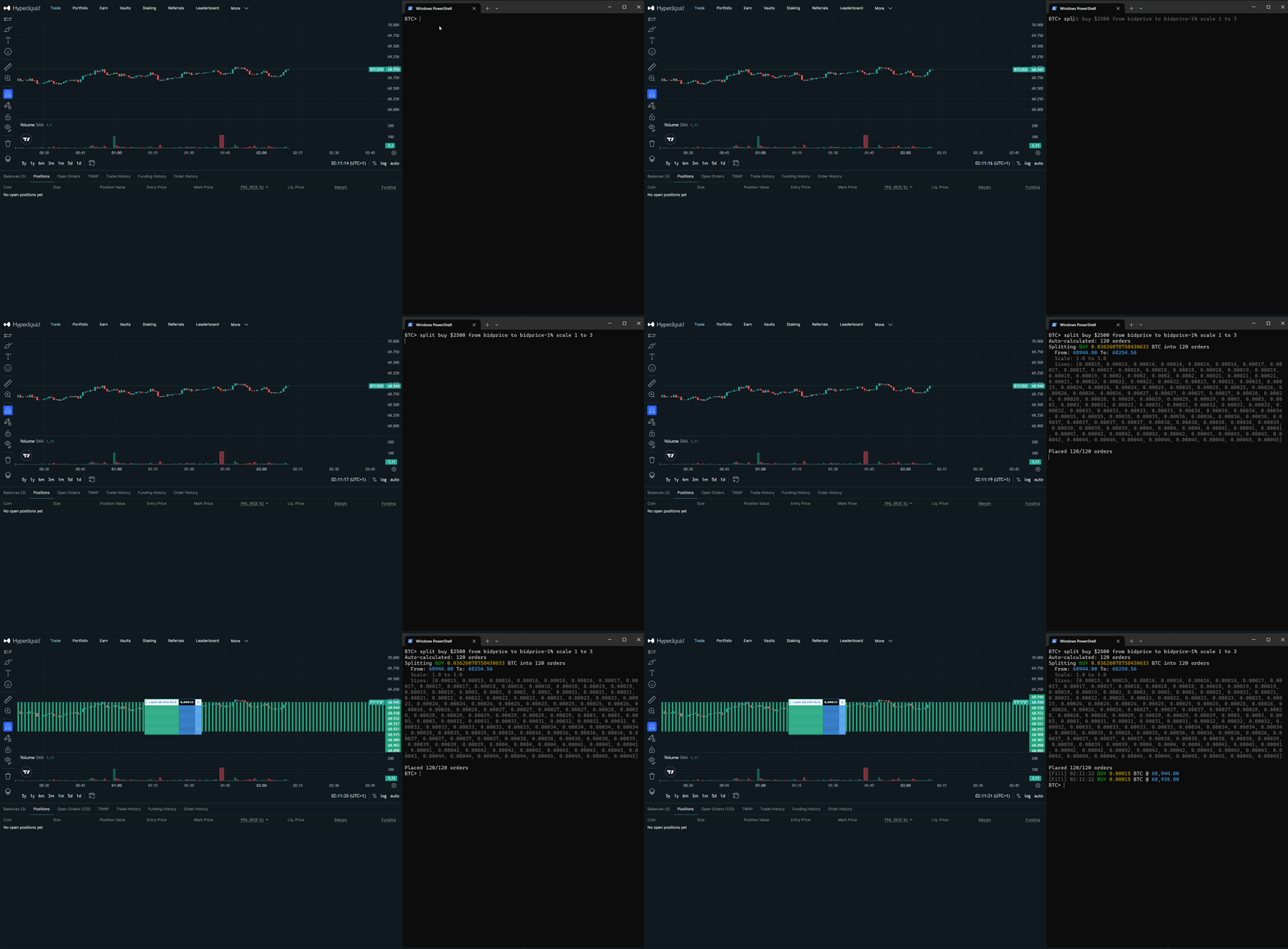
Scale in or distribute take-profits across a price range with one command.
# Scale entry: buy across 2% range below market
BTC> split buy 100%margin from bidprice to bidprice-2%
# Scale TP: sell position across 3% range (reduce-only)
BTC> split sell 100%possize from entry to entry+3% ro
# Weighted: more size at bottom (scale 1 to 3)
BTC> split buy 44%margin from bidprice to bidprice-1% scale 1 to 3
Trailing Stop Loss
Exchange-side stop order that ratchets with price. Auto-detects long/short.
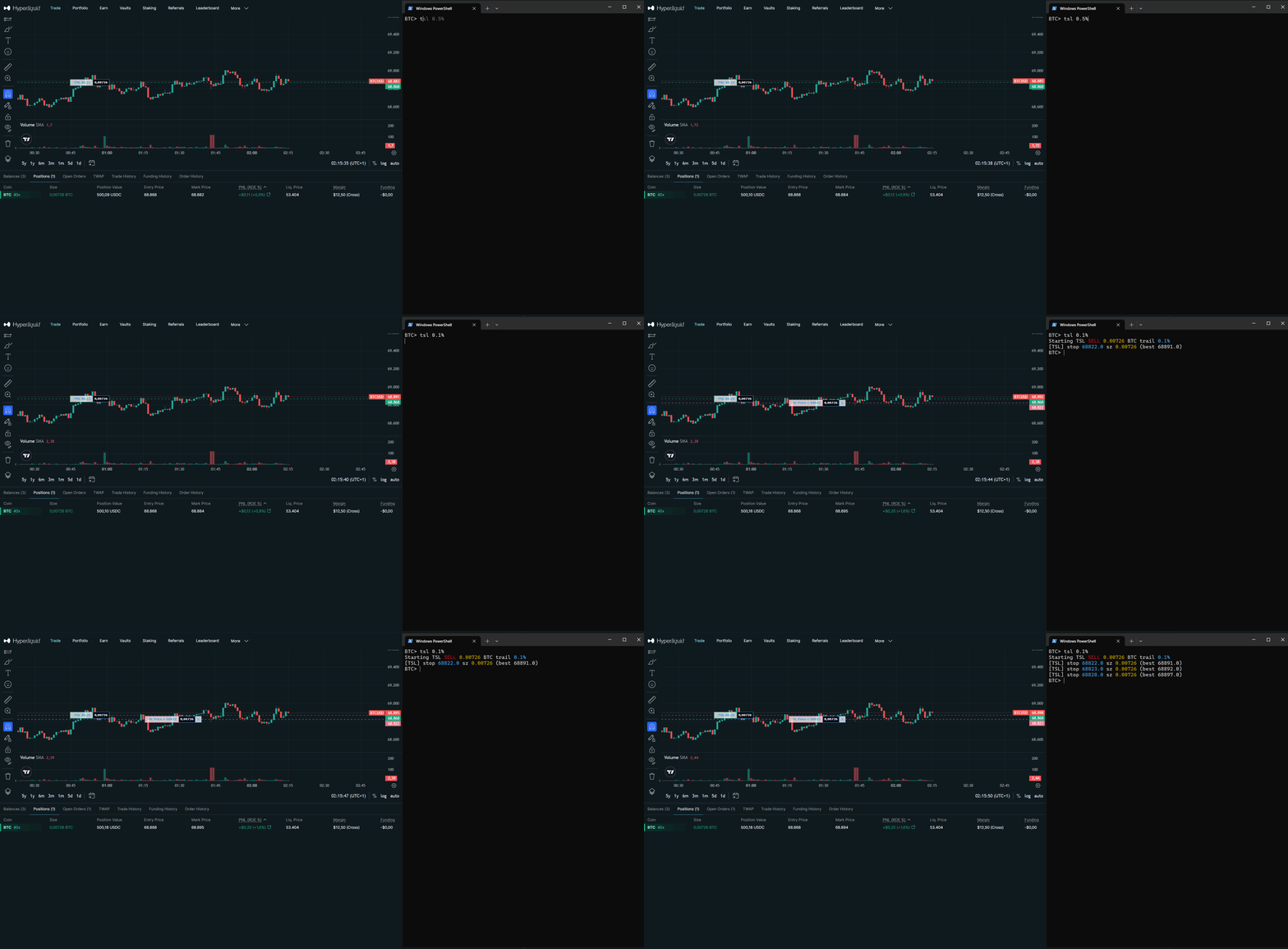
BTC> tsl 1% # trail 1% from high/low
BTC> tsl 0.3% # tight trail for scalping
Iceberg Orders
Drip-feed size at BBO in chunks — hide your full order from the book.
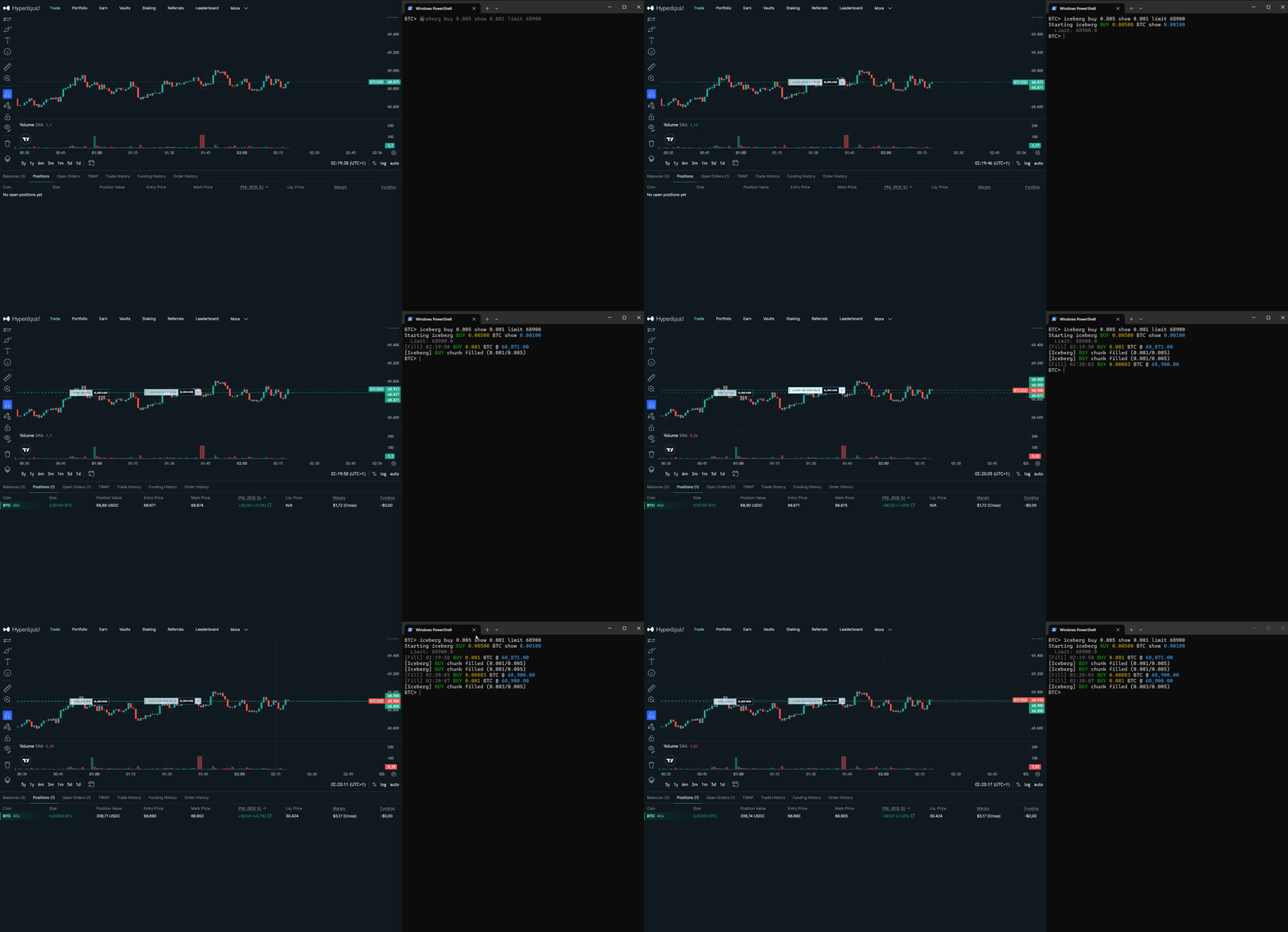
BTC> iceberg buy 1.0 show 0.1 # buy 1.0 in 0.1 chunks at BBO
BTC> iceberg buy 1.0 show 0.1 limit 95000 # with limit price cap
Ladder Orders
Stacked chase — limit orders spread across a range that ratchet with the market. Filled slots stay empty for natural DCA thinning.
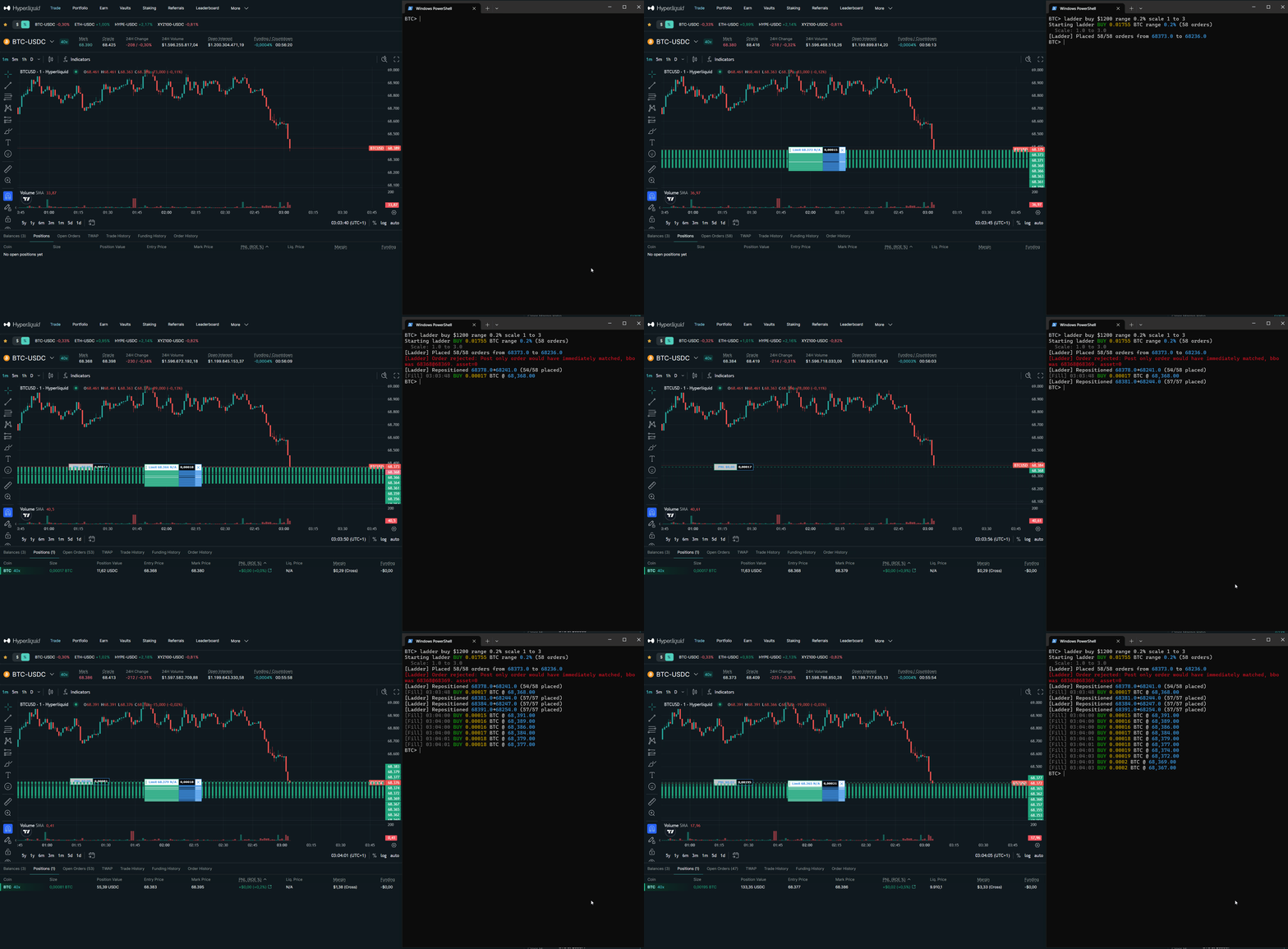
BTC> ladder buy 0.5 range 2% # orders spread 2% below bid
BTC> ladder sell $500 range 1% scale 1 to 3 # weighted ladder
BTC> ladder buy 0.5 range 2% limit 95000 # pin at price cap
TWAP
Execute large orders in equal slices over time — minimize market impact.
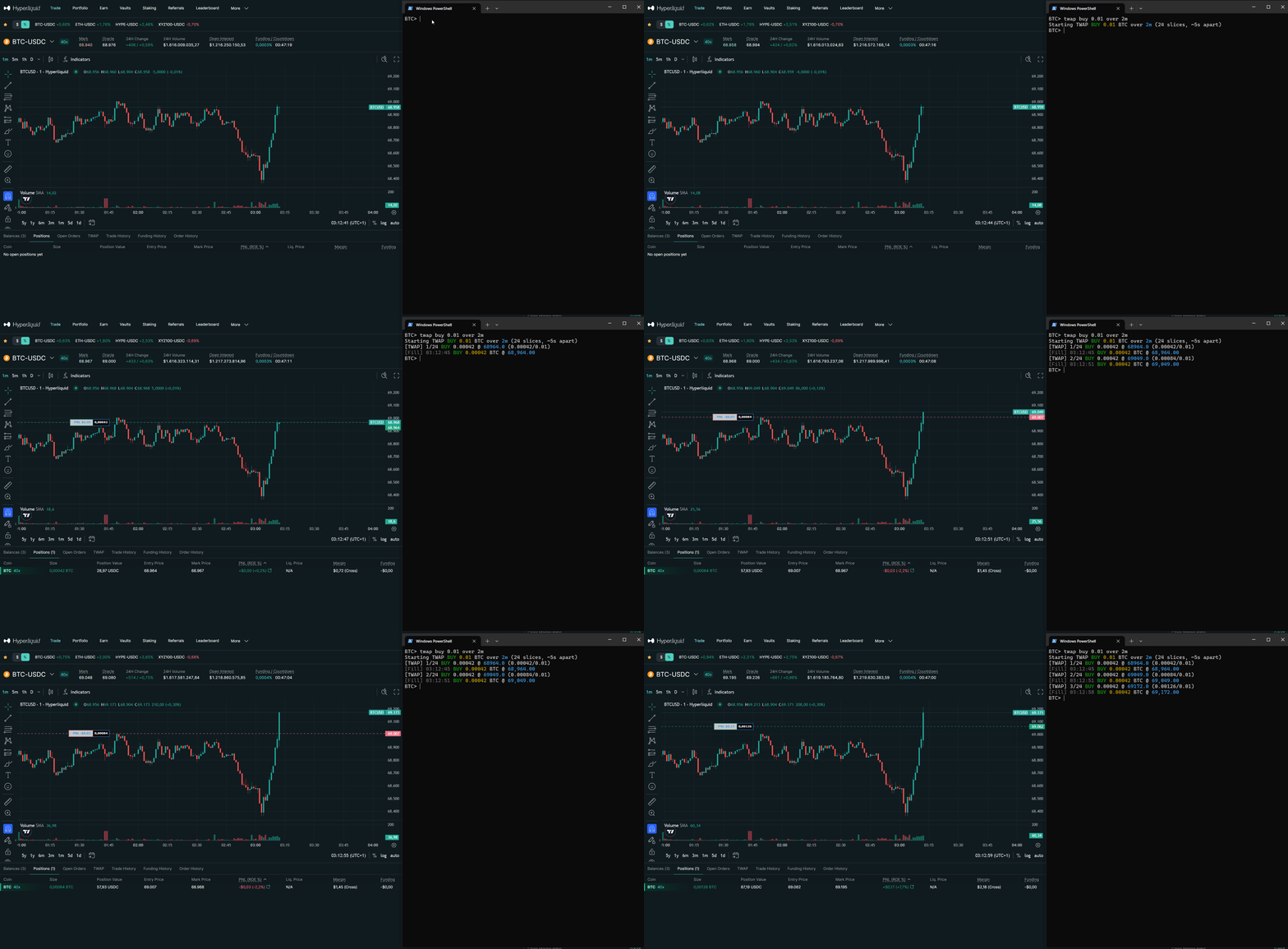
BTC> twap buy 1.0 over 30m # spread 1.0 BTC over 30 minutes
BTC> twap sell $500 over 1h # sell $500 over an hour
HIP-3 Markets
Trade equities, commodities, and FX perpetuals. Just type the asset name — namespace auto-resolves.
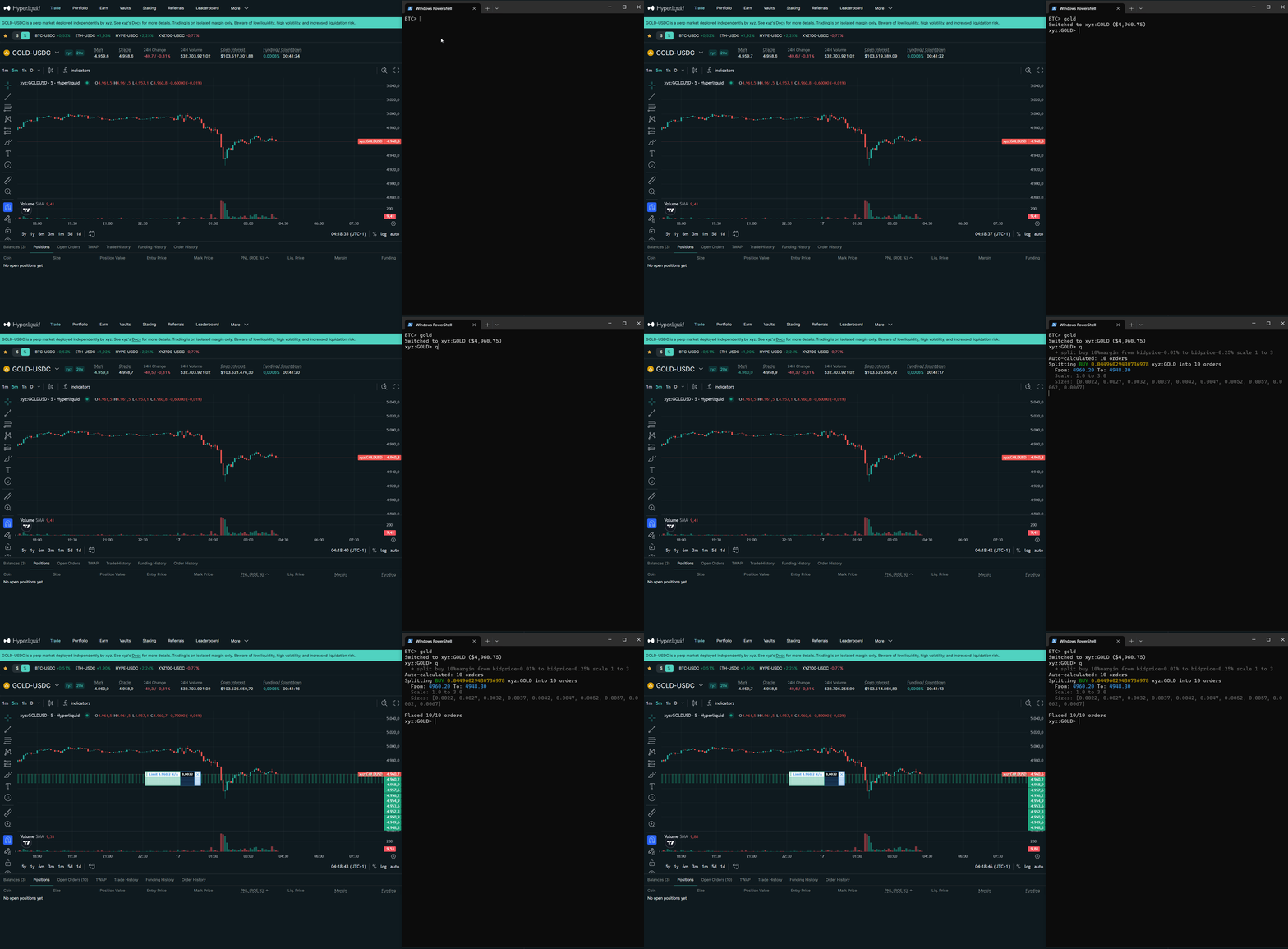
BTC> GOLD # switch to gold futures
GOLD> q # fires shortcut — split orders on gold
And more
Live Expressions
50+ variables — price, position, margin, spread, fill data, funding — resolve in real time. Use them anywhere with arithmetic and % offsets. Your orders stay relative to the market, not pinned to a number.
stop entry-2%, tp entry+4%
Reactive Waits
Pause a chain until a condition hits — price level, PnL target, spread threshold, fill progress. Then the next command fires automatically.
wait pnlpct > 1, reduce 50%, wait 2, tsl 0.3%
Move Orders
Shift all resting orders by percentage. Atomic cancel+replace — orders stay on book during move.
move +0.5%
Session Stats
Live PnL, fill count, fees, buy/sell volume — per-instrument breakdown.
stats
Nuke
Close all positions + cancel all orders in one command. Or just positions, or just orders.
nuke
Fill Feed
Real-time fill notifications via WebSocket. Shows price, size, side, and PnL on each fill.
feed on
Getting Started
Download
Download for Windows or macOS. Single executable, no dependencies.
Windows may show a SmartScreen warning on first run. Click "More info" then "Run anyway" — this only happens once. The warning appears because the binary isn't code-signed yet, not because of anything malicious.
Configure
Enter your Hyperliquid wallet address and API key on first launch. Credentials are stored locally in config.json — never sent anywhere except to sign exchange messages.
Connecting to Hyperliquid (mainnet)...
Wallet address: 0xYour...
API secret key: 0xYour...
Credentials saved to config.json
Trade
Start executing. All limit orders default to post-only (maker).
BTC> buy 0.01
Requirements
FAQ
Download
0.01% builder fee per order
Contact
X: @hlclixyz
Email: [email protected]